xAI recently released their solution to agentic AI, dubbed Grok Bot, and after having used it for a little over two weeks, I'm surprisingly impressed and ready to start posting "Philip J. Fry take my money" memes all over the web. Because it's good. Damn good.
Grok Bot is essentially xAI's attempt at moving beyond the standard chatbot experience and into something that can actually do work on your behalf while you're away from the keyboard.
Most of the other AI harnesses offer this through scheduled tasks or routines, which essentially come down to running a prompt on a cron job. Grok Bot is no different, except that a "Bot" owns that routine and manages it for you.
From the moment you launch the application, you're greeted with something entirely different from your typical wide textarea waiting for a text prompt.
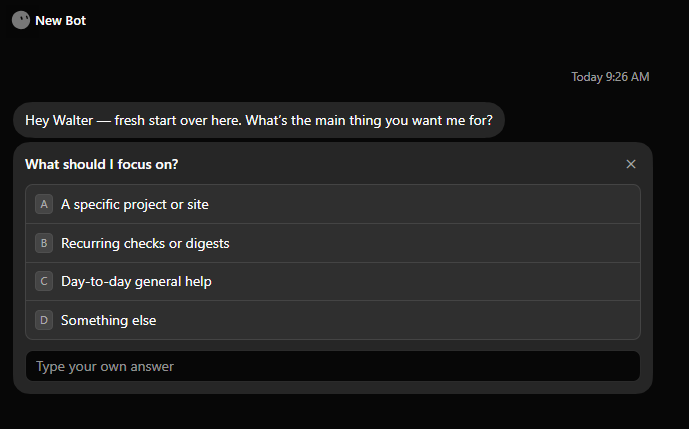
You're greeted by a bot. A bot that's ready to start making more bots for you.
What kind of bots? That's entirely up to you. But here are a few ideas:
- Inbox triage bot
- QA bot for your site
- Netflix recommendation bot
- Keep-me-updated-on-cheap-flights bot
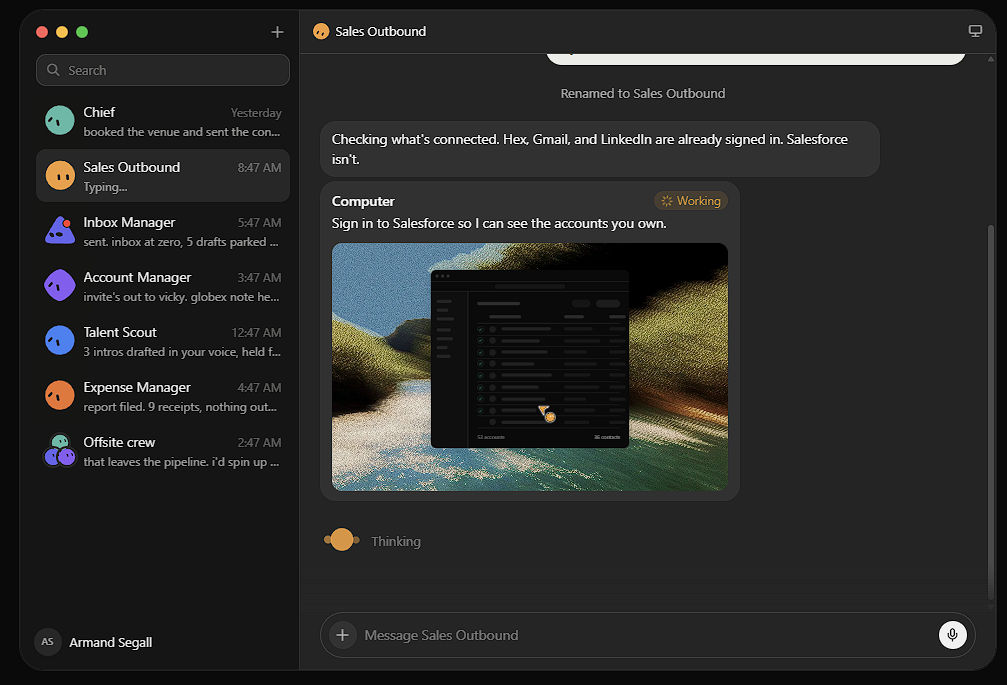
Source - xAI
And that's really where Grok Bot starts to click. You're not just chatting with one AI assistant anymore. You're creating a small army of purpose-built agents, each with a specific job, that can keep working on the kinds of tasks you'd normally have to remember, repeat, or handle yourself.
And if that sounds a lot like OpenClaw to you, then please read on. Because kind of, but also not really.
A real computer that stays up when you close the laptop
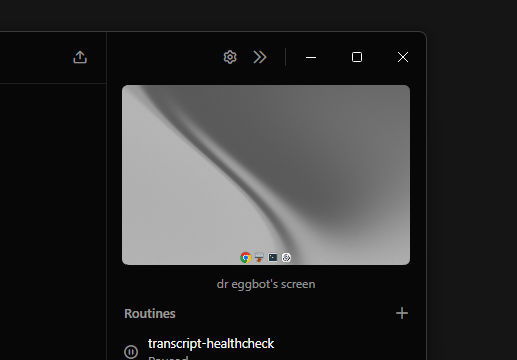
This is the feature that makes Grok Bot feel completely different from most other AI tools on the market right now.
Each account gets a persistent cloud Linux machine, and your bots can share that computer among themselves. We're talking files, browser logins, installed CLIs, Obsidian vaults, and whatever else you decide to set up. Close your laptop, go to sleep, come back the next day, and it's all still there.
And you, the user, have access to this computer directly inside the Grok Bot app, whether you're on desktop or mobile. It's both incredibly functional and, somehow, a little adorable.
If you need to log in to a site to give oAuth access to a routine, you can easily do so through the cloud browser.
As an experiment, I decided to install the Grok CLI on my bot's PC, and it worked exactly as you'd expect. My Grok Bot can now run the CLI and launch its own prompts, which it probably shouldn't, because that's basically just setting tokens on fire.
But you get the idea.
It was a fun experiment, and more importantly, it drove home the point: this isn't just a chatbot with access to a browser. It's an actual persistent machine your bots can live and work on.
Many narrow bots beat one mega-bot
Grok Bot really wants you to spin up specialists and let them talk to each other.
My blog setup currently looks like a tiny company:
- a front desk bot for the blog
- a Google Search Console analyst
- a Fathom Analytics analyst that talks to the Search Console bot
- a QA bot that tests the blog every few days
Before this, if you wanted this kind of setup, you typically had to build your own agent management system. Which, personally, I've done several times using a variety of tools. However, they always had issues, the biggest being an insanely high cost.
Even with OpenClaw, I found agent management a little messy. My primary agent would occasionally spin up agents of its own, those agents would talk amongst themselves, and before long I was the one getting left out of the loop.
I haven't really felt that with Grok Bot so far.
And maybe that's partly because I created a "Bot Manager" bot whose entire job is to audit the other bots and let me know if anything needs my attention.
Which, when you think about it, is such an important step in order to get a bot swarm working properly.
Mobile and desktop on the same threads
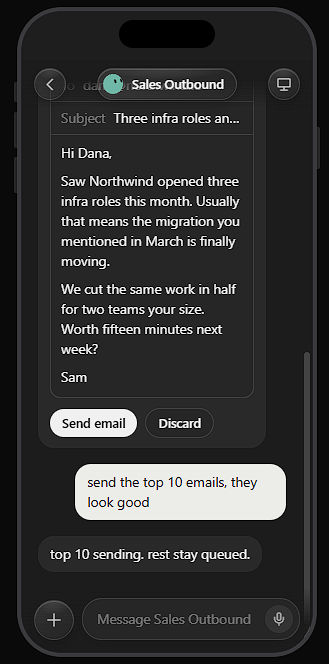
Source - xAI
I wasn't overly impressed with Grok Bot when I first fired it up on my Windows machine. Mainly because, at first glance, it felt like many of the other AI tools already on the market.
But then xAI released it on Android and iOS, and that changed everything.
All of my bots were suddenly there in my pocket, either waiting for instructions or running routines in the background. And underneath all of it was the same persistent Linux VM, accessible from anywhere at any time.
I could message a bot from my phone like a teammate, then pick up the same conversation on desktop later. Same thread. Same context. Same computer still grinding away in the background.
That was the moment Grok Bot started to feel less like another AI app and more like the thing these agent platforms have been promising for years: "let the bots do the work while you go live your life."
Costs
When Grok Bot first launched it was only available to users on the $100+ dollar plans. And that was a huge limitation.
New users got 7 days to try it for free however, so that's how I got introduced to the features. Once my trial was up, I was ready to put the bots on hold.
Not because the product isn't worth the money, but more so because my monthly AI bills keep creeping upwards.
But then xAI went and released the bots to users on the lower tiers, with limited usage of course.
I'm currently on the SuperGrok $30 a month plan, and so far, the usage has been very generous. After setting up around 12 bots, and multiple daily routines, my burn rate is slightly under the allotted limit.
What's still rough
Grok Bot is still new. So there's going to be issues obviously. For me, the biggest ones so far have been:
- Windows app failing to load on update / sync issues
- Cloud Computer UI/UX glitches
- Low plugin count for now
- Confusing payment structure (Cursor plans versus Grok plans)
The product itself is solid for how new it is though. But the ecosystem around it could use some polish.
Who this is actually for
If you want a better chat box, stick with any of the current AI tools like the ChatGPT app or Claude.
If you have recurring ops, research digests, inbox drafts, site health, content pipelines, CRM hygiene, etc, Grok Bot's a solid tool to handle those pretty seamlessly.
A few weeks in, the winners for me are clear: the persistent computer, the multi-bot team model and the ability to take my bots mobile without losing my work are the clear winning features.