AI coding tools have gone from "interesting experiment" to "daily driver" faster than most of us expected. The question isn't really whether to use one anymore, it's which one is more ideal for your workflow.
The two leading tools right now are GitHub Copilot and Claude Code. On the surface, they're both AI assistants that help you write code. But spend a little time with each of them and you'll quickly realize they're built around fundamentally different philosophies.
One lives inside your editor and autocompletes as you type. The other feels more like handing a task off to a capable junior developer and saying, "go figure it out." So which one is right for you? Let's break it down.
What Is GitHub Copilot?
GitHub Copilot has been around since 2021 and is probably the tool that put AI coding assistants on most developers' radars, at least for me it did. It's built by GitHub (owned by Microsoft) and powered primarily by OpenAI models, though it now supports a range of models including GPT-4o, GPT-4.1, and Claude Sonnet/Opus as first-party options, all included within your existing Copilot subscription.
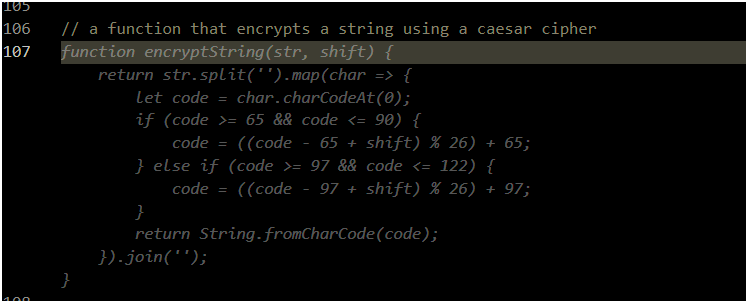
The core experience of Copilot is inline autocomplete. You're typing in VS Code, JetBrains, or your editor of choice, and Copilot suggests the next line (or the next ten lines) based on what you're writing. It reads your current file, nearby files, and your comments to make educated guesses about what you're trying to do.
More recently, Copilot has grown into something bigger. There's Copilot Chat, which lets you ask questions in a side panel. There's workspace indexing, so it can search across your entire repo. And there's an "agent mode" that lets it take multi-step actions inside your editor. Microsoft has been pushing hard to make Copilot a full coding assistant, not just a fancy autocomplete engine.
Personal note: This is my personal go-to and daily driver, mainly because I (for now) still like to have full control of any changes made to our codebase.
What Is Claude Code?
Claude Code is Anthropic's entry into the agentic coding space, and it takes a different approach from the start. Rather than sitting inside your editor and whispering suggestions, Claude Code operates as a command-line tool that can read your files, write code, run commands, and execute multi-step tasks with a significant degree of autonomy.
Think of it less like autocomplete and more like a collaborator. You describe what you want ("refactor this module to use async/await" or "find and fix the bug causing this test to fail") and Claude Code goes off and does it. It can read your entire codebase, make changes across multiple files, run your tests, and iterate on the results.
The model behind it is Claude Sonnet (or Opus for heavier tasks), which has a strong reputation for reasoning quality and producing readable, well-reasoned output. The context window is 200,000 tokens by default, already far larger than Copilot's standard offering.
On Max, Team, or Enterprise plans, Opus 4.6 and Sonnet 4.6 support a 1M-token context window, making it possible to hold an entire large codebase in memory at once.
Where Copilot Shines
If you're looking for something that stays out of your way and quietly makes you faster, Copilot is hard to beat. The inline suggestions are genuinely good, especially for boilerplate, tests, and common patterns you'd otherwise have to type out by hand.
It's also the more mature product in terms of IDE support. It works just about everywhere, and the experience feels polished. If you're the kind of developer who likes to stay in flow and just wants a smart assistant to fill in the blanks, Copilot fits naturally into that workflow.
The GitHub integration is also a real plus. Copilot can see your PRs, issues, and repository context in ways that feel native, which is useful when doing code reviews or trying to understand changes in context. For teams already deep in the GitHub ecosystem, this is a meaningful advantage.
Where Claude Code Shines
Claude Code earns its keep on the harder, messier tasks. When you've got a gnarly refactor to do, a confusing bug to track down, or you need to add a feature that touches a dozen different files, this is where Claude Code feels almost unfair.
The agentic loop (where it can run commands, check outputs, and adjust) is genuinely impressive. It doesn't just write code at you, it acts more like a developer who can test their own work. That's a fundamentally different and more powerful model for certain kinds of tasks.
The other thing that stands out is the quality of the explanations. Claude Code tends to produce code that's readable and well-reasoned, and when it tells you what it did and why, the explanations usually make sense. That's useful when you need to understand the changes, not just accept them.
The Real Differences
| Factor |
GitHub Copilot |
Claude Code |
| Workflow |
IDE-native |
Terminal-based |
| Best task size |
Small, frequent |
Large, complex |
| Context window |
64K–192K tokens |
200K–1M tokens |
| Monthly cost |
$10/mo (Pro), $39/mo (Pro+), $19/user/mo (Business) |
$20/mo (Pro), $100–200/mo (Max) |
| Setup friction |
Near-zero |
Moderate |
| GitHub integration |
Native |
Manual |
| Agentic execution |
Limited |
Comprehensive |
| Explanation quality |
Good |
Excellent |
On context windows specifically: Copilot Chat's effective context window is 64K tokens with GPT-4o standard, expanding to 128K in VS Code Insiders, and up to 192K tokens for some models in more recent releases.
Claude Code runs on a 200K-token context window by default, with 1M tokens available on Opus 4.6 and Sonnet 4.6 for users on Max, Team, or Enterprise plans. To put 200K in perspective, that's roughly 150,000 words, enough to hold a substantial portion of a real codebase in memory at once. For large-scale refactors or debugging across many files, this difference is felt.
Keep in mind that bigger isn't always unconditionally better: response quality can degrade as context fills up (sometimes called "context rot"), so Claude Code also provides a /compact command to compress session history when approaching limits.
Learning Curve
This is where the two tools differ quite a bit.
Copilot is about as easy as it gets. You install the extension, sign in, and it just starts working. There's nothing to configure, no commands to learn, no setup ritual. Within five minutes of installing it, you're already getting suggestions. That low friction is a big part of why it became so popular so quickly.
And you don't even need to be using GitHub in order to make it work. It works on any code fired up in your IDE, regardless of where it's hosted.
Claude Code has a steeper on-ramp. It runs from the command line, so you need to be comfortable in a terminal environment to start. Beyond that, getting the most out of it means learning a few things: the available slash commands (like /compact for managing context and /clear for resetting a session), how to structure your prompts for agentic tasks, and how to set up your CLAUDE.md file.
The CLAUDE.md file is worth understanding. It's a project-level configuration file where you give Claude persistent context about your codebase. Essentially your coding conventions, architectural patterns, testing setup, and anything else Claude should know before it starts touching files.
Think of it as an instruction manual you write once so Claude doesn't have to guess what kind of project it's working in. A well-written CLAUDE.md meaningfully improves the quality of Claude Code's output on a given repo.
You'll also want to understand how MCP (Model Context Protocol) plugins work if you want to extend Claude Code's capabilities. Things like giving it access to your browser, databases, or external tools. It's powerful, but it's another layer to learn.
None of this is insurmountable, and once it clicks the payoff is real. But if you're looking for something you can hand to a developer on your team with zero onboarding, Copilot wins that comparison easily. Claude Code rewards the developers willing to invest some setup time.
Cost Breakdown
Copilot has a free tier with limited completions, then paid plans: Pro at $10/month, Pro+ at $39/month (with more premium requests and access to all models), and Business at $19/user/month for teams (which adds IP indemnity and centralized policy management). Claude Code requires at least a Pro plan at $20/month. Heavy users can step up to Max at $100/month (5x usage) or $200/month (20x usage), or run it directly on API credits billed per token.
For most individual developers, both tools land in a similar price range. The more important question is how much value you extract, and that depends heavily on your use case. A developer doing mostly greenfield feature work in a single file will get more ROI from Copilot. A developer doing architectural refactors or multi-module debugging will likely find Claude Code earns back its cost quickly.
So Which One Should You Use?
Honestly? Probably both, eventually. They complement each other pretty well. But if you have to pick one to start with:
Go with Copilot if…
- You want zero-friction setup and IDE integration
- Your work is mostly small, daily tasks and completions
- You prefer to stay in full control of every change
- You want a predictable monthly flat rate
Go with Claude Code if…
- You frequently tackle complex multi-file changes
- You want an AI that executes and iterates, not just suggests
- You're doing deep architectural work or large refactors
- Context window size matters for your codebase size
- Reasoning quality matters more than raw suggestion speed
Neither tool is perfect. Copilot can suggest confidently wrong code. Claude Code can go off on a tangent if you're not specific enough with your instructions. Both require you to stay in the driver's seat and review what they produce.
But used well, either one can meaningfully change how much you get done in a day. The best tool is the one that fits how you actually work.
Have you tried both? Let me know which one you ended up sticking with — I'm curious whether others are landing in the same place.